Weekly report
Days worked, by site and by name. A day that is wrong can be changed, and the change keeps its reason.
The time clock for construction crews
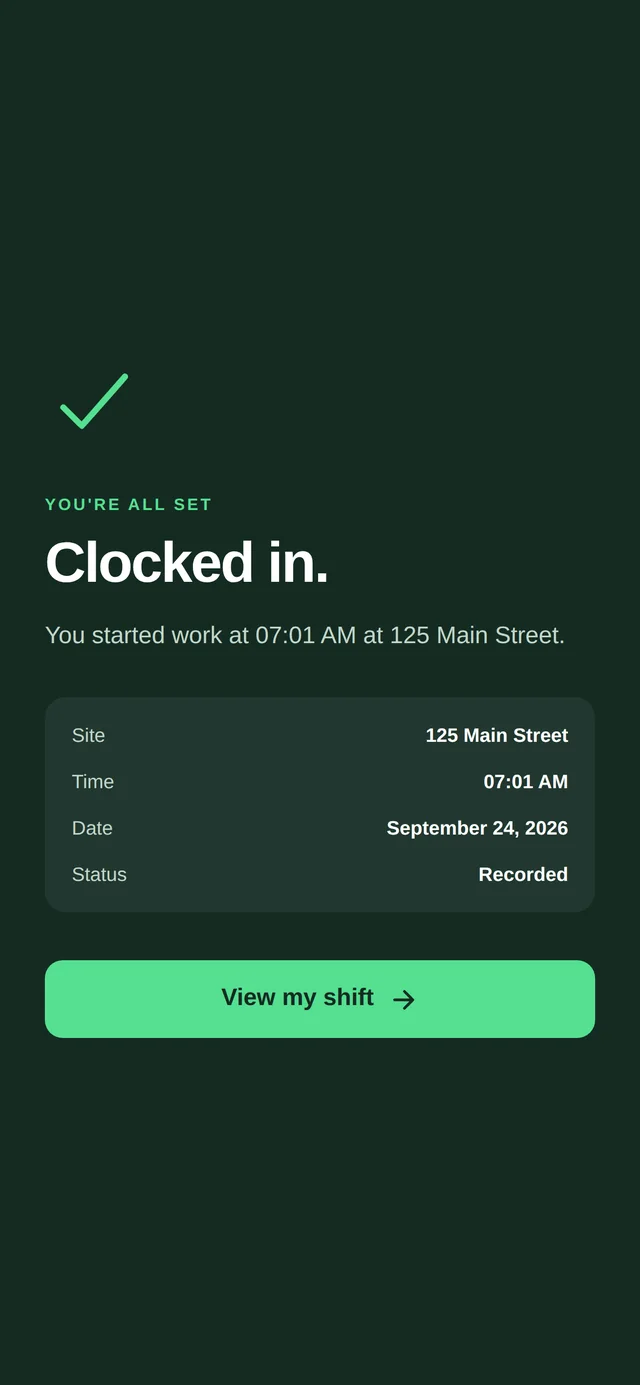
A man taps I’M IN at the gate. The phone checks that he is on the site, and the minute is recorded — nothing before it, nothing after it. The office gets the week, the payroll and the daily log without chasing anybody on Friday.
For the crew: iPhone — App Store Android — Google Play
In the crew’s pocket
No account and no password: a company code from the foreman and his name. Every screen in English, Spanish and Russian, switched whenever he likes.
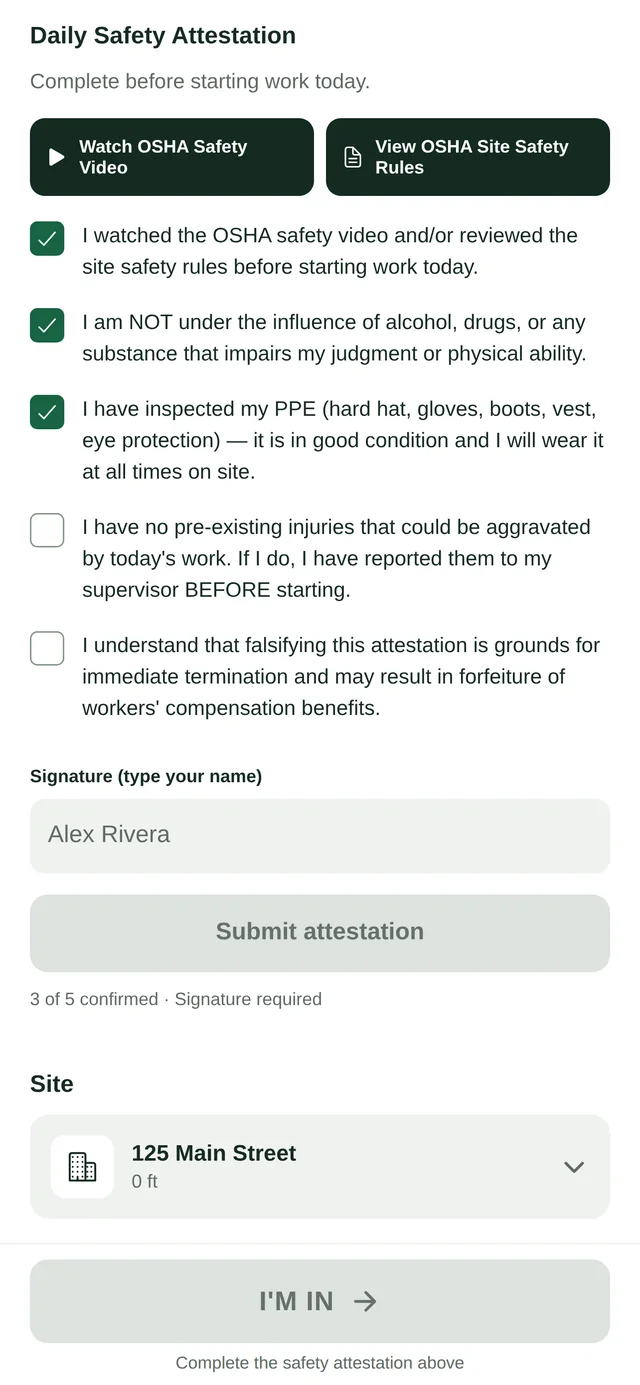
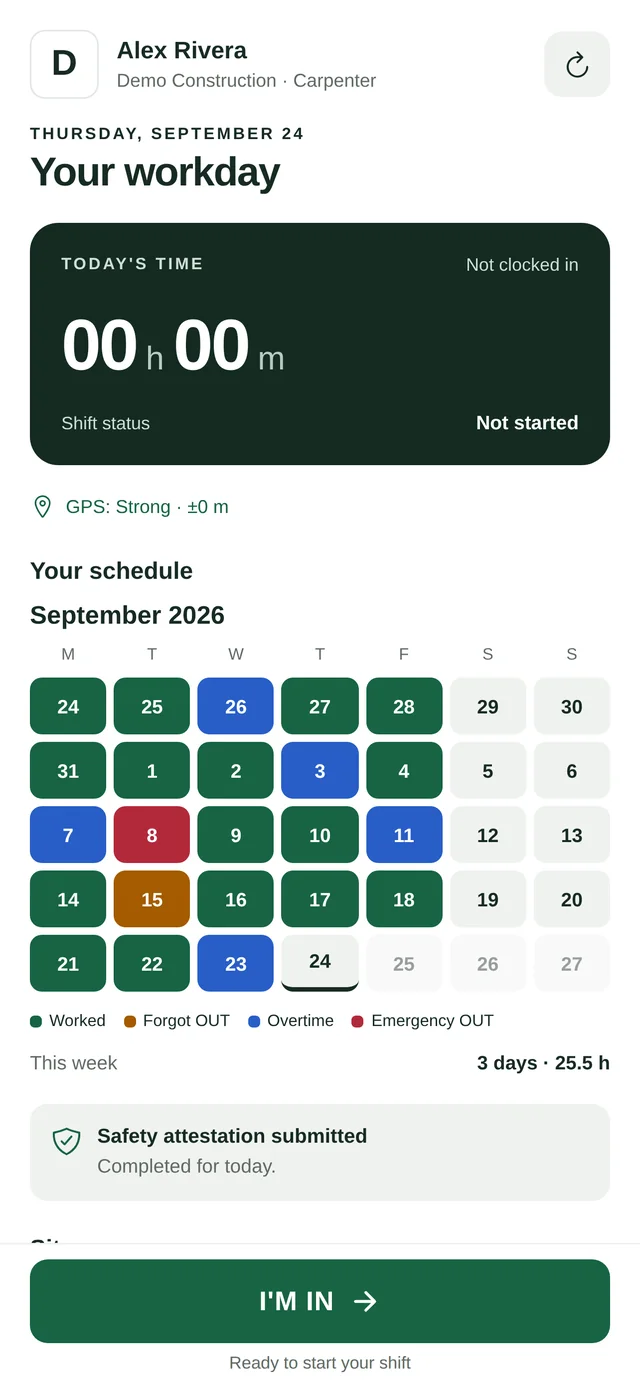
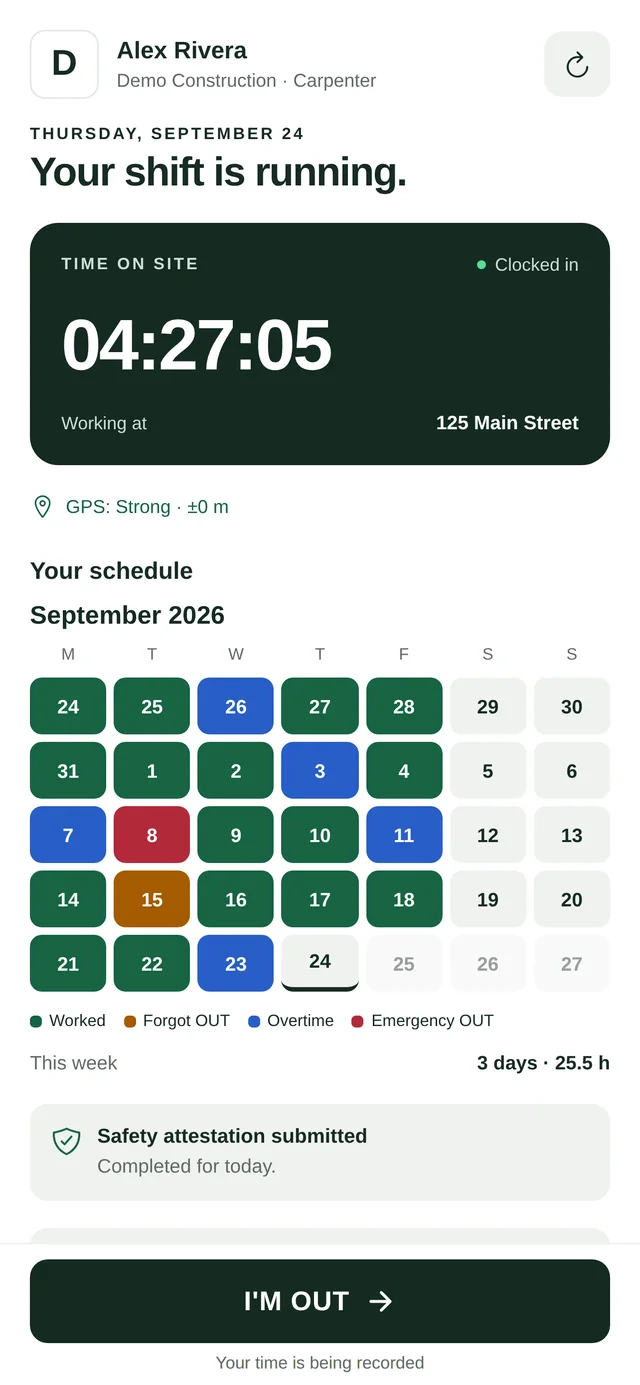
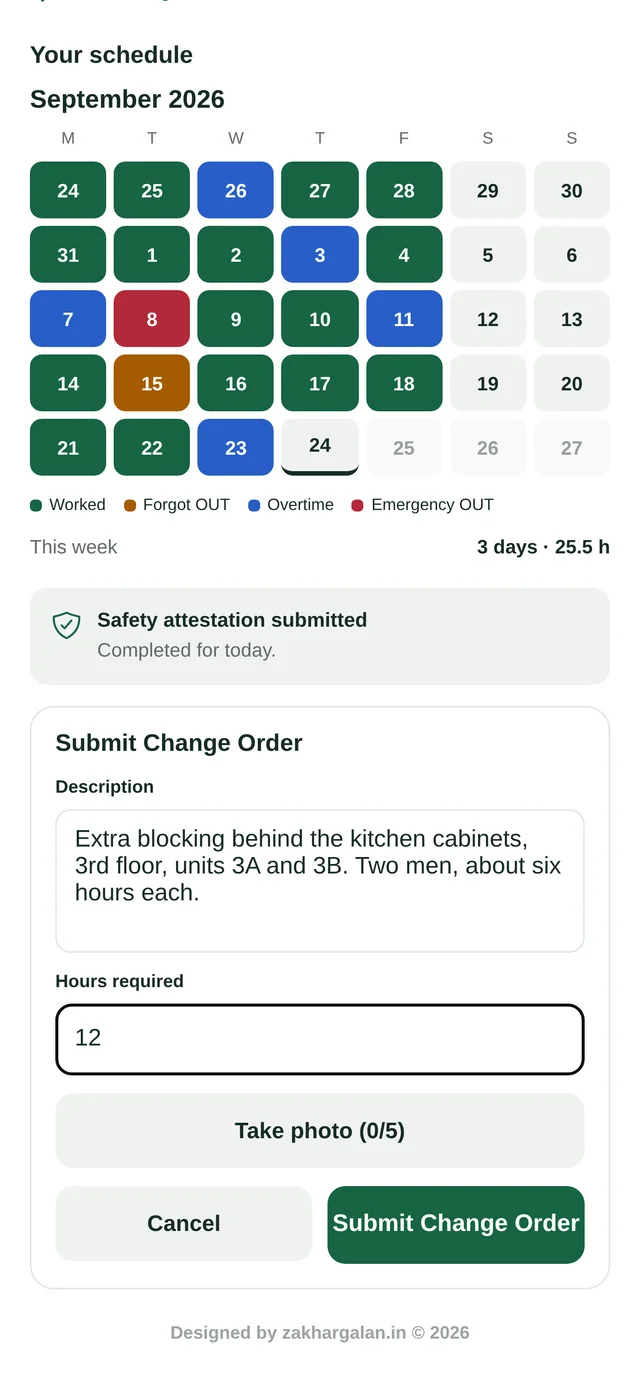
Green — a day worked.
Blue — past eight hours.
Orange — he forgot to clock out.
Red — an emergency clock-out, when the camera would not open.
In the office
Sign in with your work email — there is no password. Each page is handed out per address, so the foreman sees the report and the bookkeeper sees payroll.
Days worked, by site and by name. A day that is wrong can be changed, and the change keeps its reason.
Who is on the clock this minute, grouped by job. It refreshes itself.
Who has not turned up, who is still on the clock, whose card runs out, and which extra work nobody has signed — in a morning and an afternoon email.
The daily report a general contractor asks for, with the crew, the weather and the photos already in it.
The site safety training log New York asks for: every worker on the site that day, with his card. A QR sign on the fence shows today’s list without a login.
NYC LL196 · BC §3321OSHA and SST cards waiting to be approved, and whose card runs out next. The man is warned before it does.
Photographs, change-order numbers and hours from the site, ready for your books.
Days, hours and overtime for the week, and the files your bookkeeper needs: Excel with the formulas in it, and QuickBooks.
Where a man may clock in, and what he can say he was doing. A general contractor can invite a subcontractor onto a site.
What it does not do
The loudest complaint about time-tracking apps is that they watch all the time. SHIFT keeps less than it could, on purpose, and says so in writing.
The phone gives its position when a man clocks in or out, and only while the app is open. Nothing in the background, nothing between shifts.
The OSHA card, once, for the office to approve. One picture of the work at clock-out. If the camera will not open, he can still clock out, and the app notes that it could not.
A company code and a name. No email and no password to collect, store or forget.
SHIFT runs GEKON’s own crews every working day. Tell us about yours, and we will set up your company, your sites and the codes your men type in.